

One workspace for your full trading process.

Market map, scanners, Atlas, journal, model book, and research in one focused tool. Built for US-stock traders who take their setup seriously.

Cancel anytimeNo minimum term
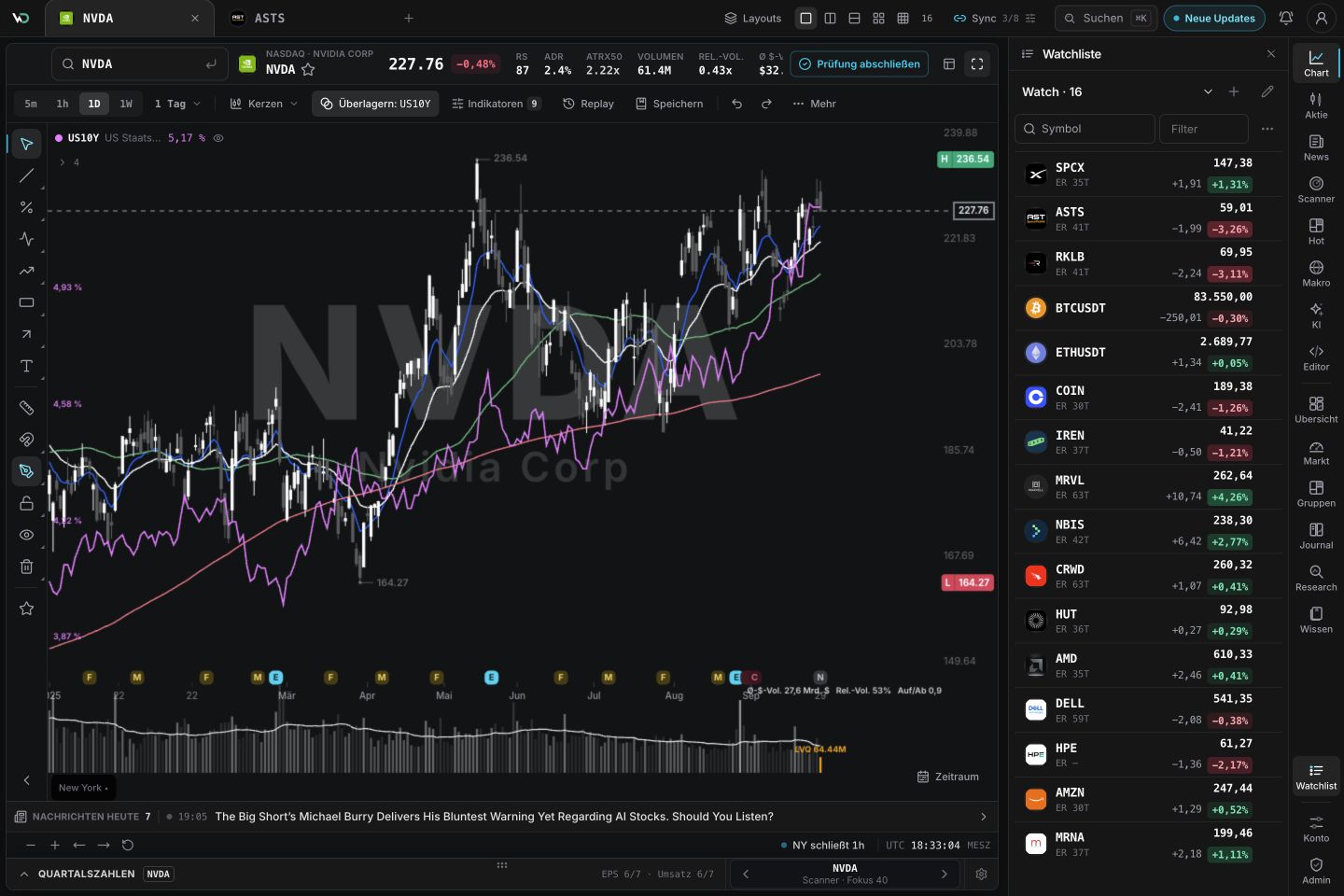
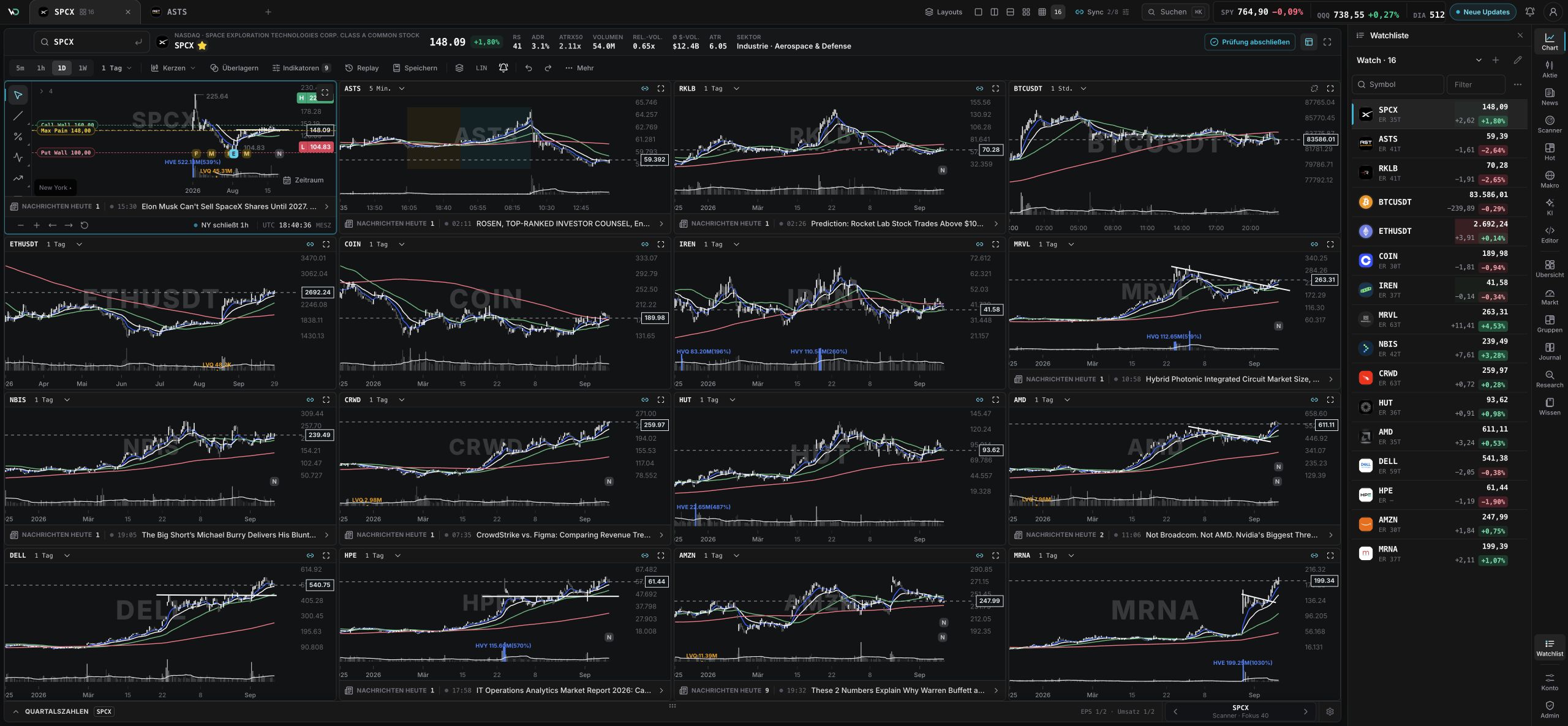
wickeddesk Atlas with chart engine, events, and related stocks
~6,000US stocks in scanner
12+Scanner methods
20+Setup types
Atlas

Charts, events, and group context in one place.

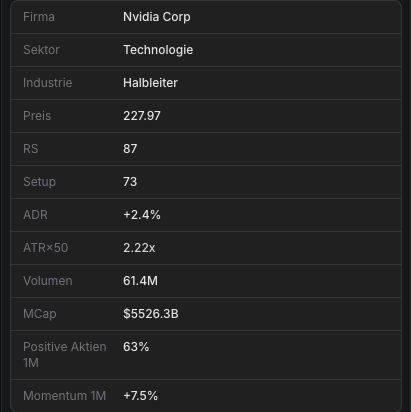
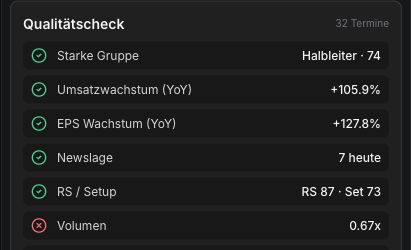
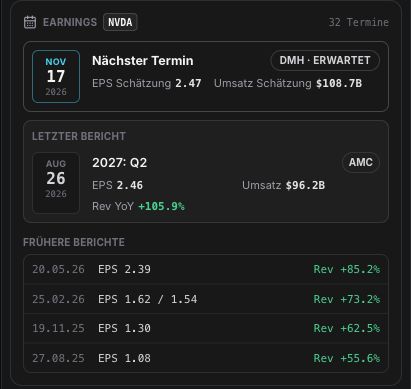
The workspace connects single-name analysis with chart engine, earnings, news, catalysts, related stocks, scanner setups, and group context.

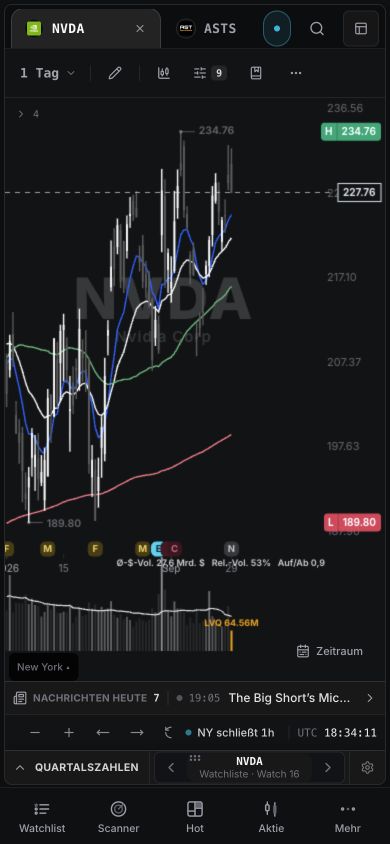
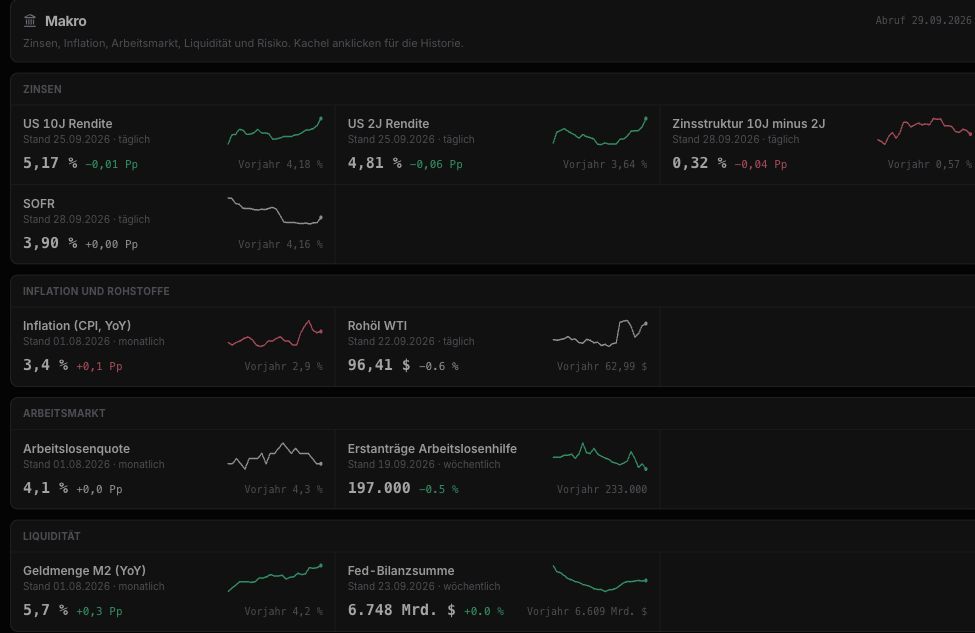
Chart engine with price, volume, moving averages, earnings markers, and drawings.

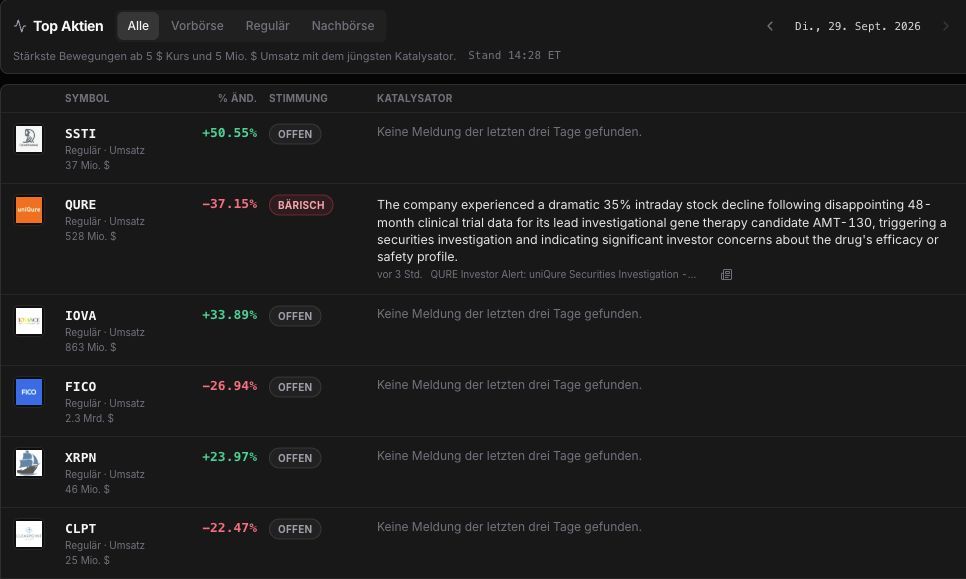
Sidecar for company data, events, news, catalysts, related stocks, scanner setups, and Strategy AI.

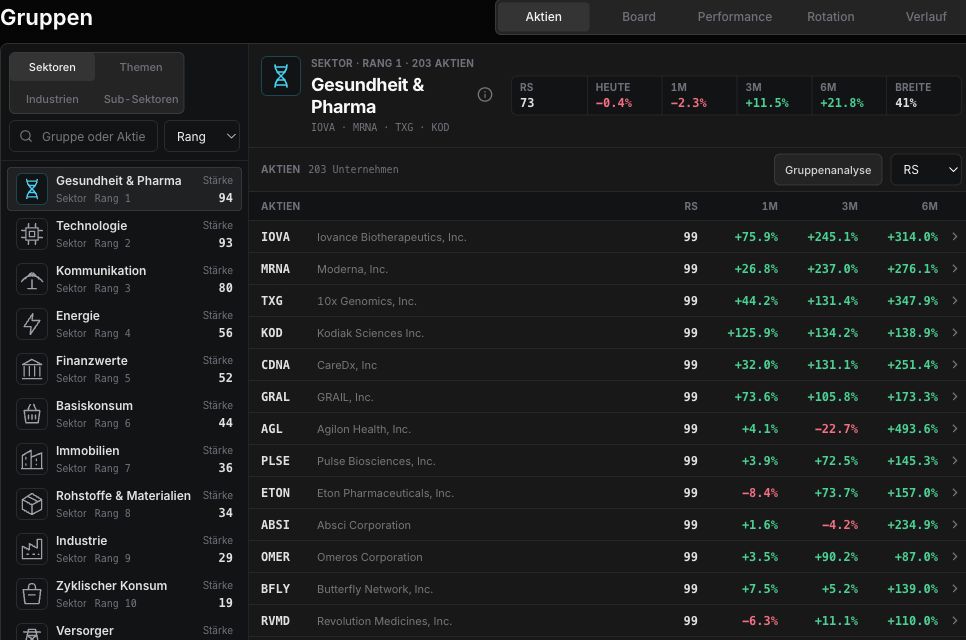
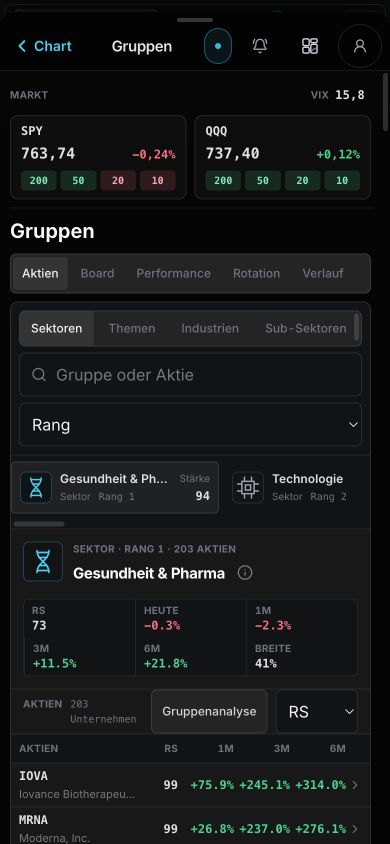
Sector and industry views with breadth, rotation, relative strength, setup quality, and leaders.

Single stock, events, and group context without switching tools.

Atlas workspace with chart engine, events, news, and group context

Atlas

Chart, earnings, news, catalysts, related stocks, and group context in one workspace.

Scans

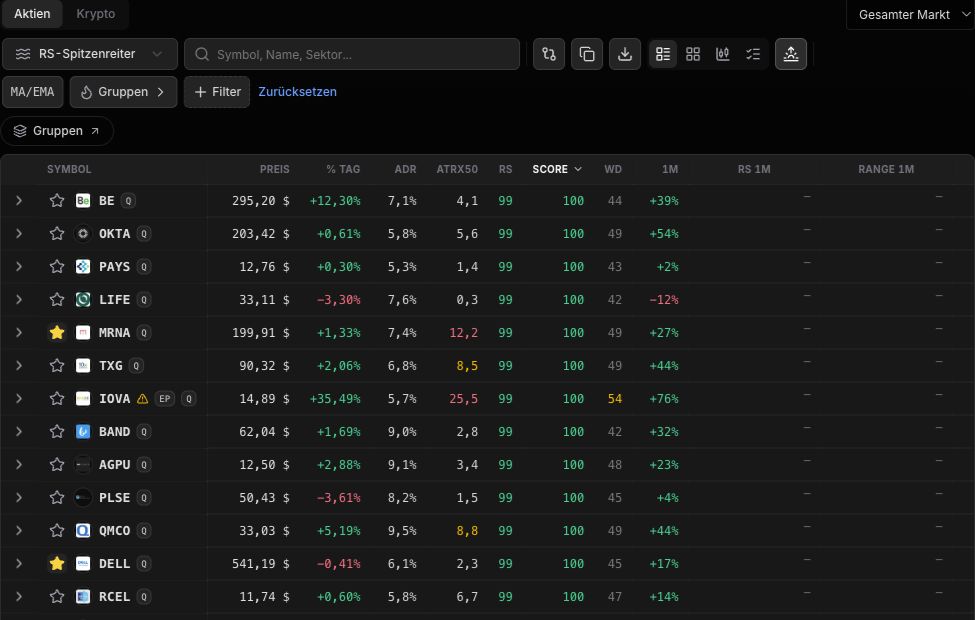
Leaders, EPs, breakouts, pullbacks, group strength, and momentum in prioritized lists.

Leader detection

Relative strength, distance to 52-week highs, volume, ADR/ATR, group context, and chart structure combined.

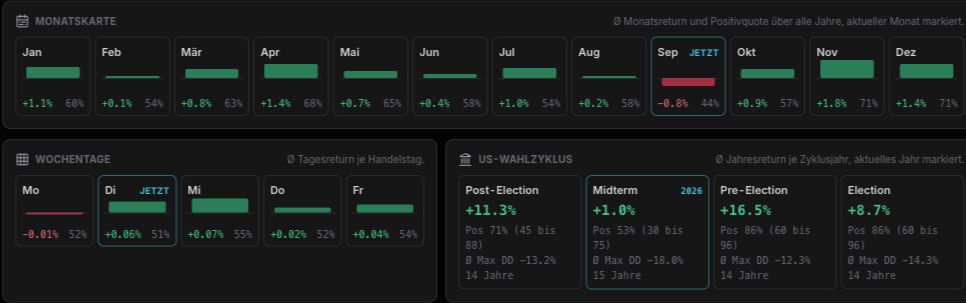
Seasonality

Historical monthly patterns, market regimes, earnings windows, and setup history.

Journal reports

Reviews, screenshots, and model-book examples in one report.

Screening lists

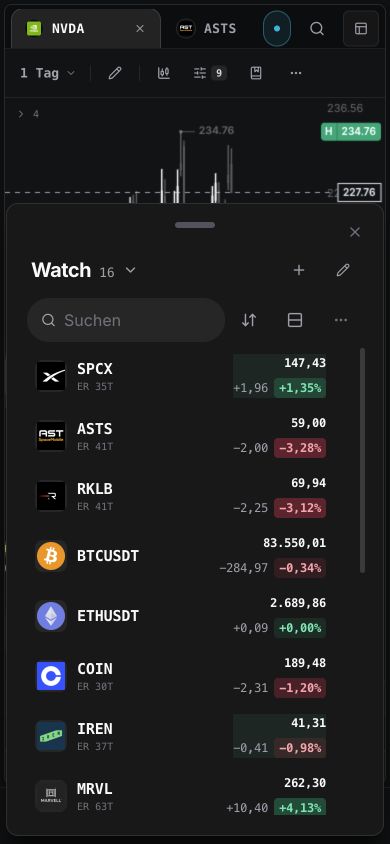
Scanner, group, and heat-map results as compact worklists.

Scanner

Real trading playbooks. Not generic screeners.

Minervini, Stockbee/Pradeep, Qullamaggie, and custom filters for leaders, EPs, breakouts, pullbacks, and momentum.

Minervini Scanner

Trend-template stocks with relative strength, proximity to highs, volume, and tight bases.

Stockbee / Pradeep

Momentum bursts, episodic pivots, high relative volume, and follow-through.

Qullamaggie Setups

Breakouts, EPs, pullbacks, liquidity, ADR/ATR, and group context in one list.

Theme Builder

Turns theses into capital-flow maps, bottlenecks, beneficiaries, risks, and watch buckets.

Who it fits

Four workflows, one workspace.

wickeddesk scales from pre-market prep to swing watchlists and long-term thematic portfolios.

Day trader

Plan pre-market in five minutes.

  • Scanner surfaces EPs, gaps, and volume movers before the open.
  • Atlas shows chart, news, and earnings on one page.
  • Trade journal with setup tags for the daily review.
Swing trader

Setups from breadth and group strength.

  • Minervini, Qulla, and Stockbee scans in one list.
  • Heat map shows hot groups with RS leaders.
  • Seasonality plus earnings calendar for timing.
Position trader

Structure theses with Theme Builder.

  • Narrative Map links themes with stock chains.
  • Model Book keeps winning setups as references.
  • Reports analyze drawdown, hold time, and R-multiple.
Investor

Market cockpit for longer-term allocation.

  • Sector and industry rotation in the market map.
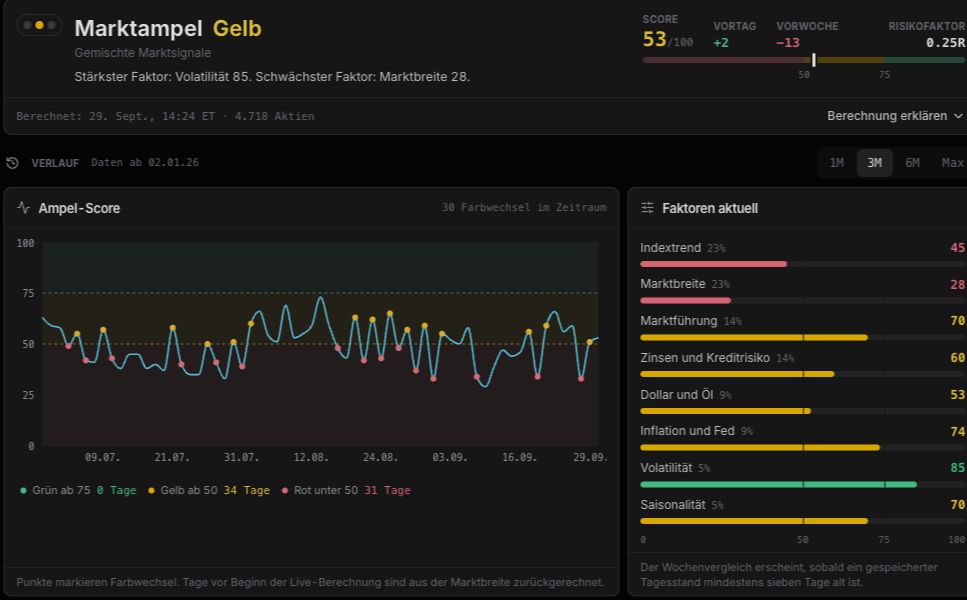
  • Breadth, regime, and correction indicators at a glance.
  • Trade journal with tax reporting support (FIFO, FX).
Features

What wickeddesk gives you.

Market map, scanner, journal, and research turn raw market data into clear lists, reports, and setup examples.

Market map for groups, breadth, and rotation.
Market map

Market map for groups, breadth, and rotation.

Sectors, industries, top groups, leaders, and market breadth in a heat view.

Shows whether strength is broad or concentrated in a few names.

Keeps strong groups and symbol lists ready for the next step.

Scanner for leaders, EPs, breakouts, and pullbacks.
Scanner

Scanner for leaders, EPs, breakouts, and pullbacks.

Combines Minervini, Stockbee/Pradeep, Qullamaggie, RS, volume, 52-week highs, ADR/ATR, and group context.

Connects setup type, chart context, news, earnings, options, and leader detection.

Condenses hits into compact watchlists for the next session.

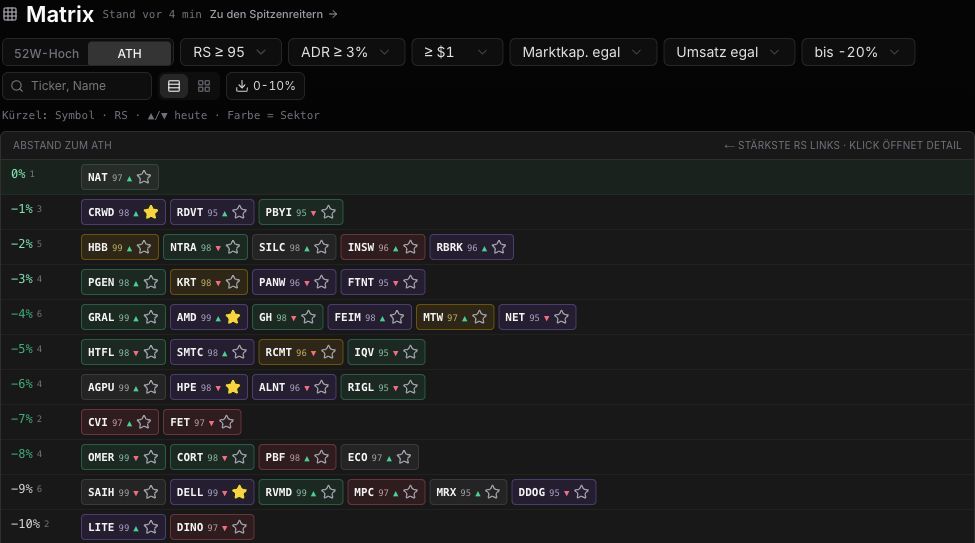
Matrix for 52-week highs, ATHs, and true leader proximity.
Matrix

Matrix for 52-week highs, ATHs, and true leader proximity.

Shows stocks as proximity ladders to 52-week highs or all-time highs, filtered by RS, ADR, price, market cap, and dollar volume.

Makes it obvious which names are glued to highs and which leaders are building tradable pullbacks.

Exports hits as TradingView lists and opens single names directly in the detail workflow.

Journal with reports.
Journal

Journal with reports.

Imports trades and analyzes period, setup, symbol, time of day, weekday, long/short, drawdown, and distribution.

Connects reviews, notes, screenshots, and compact reports.

Saves examples for model book, playbook, and later rule work.

Theme Builder for major market theses. Diagram
Diagram
Theme Builder for major market theses. Node details
Node details
Theme Builder for major market theses. Supply chains
Supply chains
Theme Builder

Theme Builder for major market theses.

Structures themes into narratives, layers, companies, regimes, risks, and watch buckets.

Turns large theses into concrete equity chains and research dashboards.

Keeps research results ready for later reviews.

Demo

wickeddesk in 90 seconds.

Pre-market scan, Atlas workspace, trade journal, and reports - a typical trading day in fast-forward.

wickeddesk demo preview
Demo video coming soon
Until then: try the app
Compare

What makes wickeddesk different.

Other tools cover parts of the workflow - journal, charts, or scanners. wickeddesk bundles them for the US-stock trader workflow.

FeaturewickeddeskTraderVueEdgewonkTradingView
Trade journal & reports
Multi-method scanner (Minervini · Stockbee · Qulla)partial
Heat map & group rotationpartial
Narrative Map & Theme Builder
Atlas chart + sidecar (news, events, catalysts)partial
Model Book / setup librarypartialpartial
IBKR import

Comparison based on publicly available feature lists of the named providers at the current date.

Pricing

One plan. Everything included.

Journal, scanner, Atlas, market map, research, and Theme Builder in one clear workspace.

Pro

Everything included

Monthly
39,95 €/ month
Cancel anytime · no minimum term

The complete wickeddesk workspace for journal, scanner, Atlas, market map, and research.

  • Trading journal, reports, and Model Book
  • Market overview with indexes, breadth, and top groups
  • Minervini, Stockbee/Pradeep, and Qullamaggie scanners
  • Atlas workspace for single names, news, earnings, and group context
  • Market map, seasonality, breadth, and group rotation
  • Theme Builder inspired by Leopold Aschenbrenner
  • Narrative Map, builder galleries, exports, and AI-assisted research flows
Unlock Pro
Annual plans (-20%) coming soon
FAQ

Frequently asked questions.

Answers to the questions we hear most often - from data sources to broker imports.

Which stocks does the scanner cover?+

wickeddesk focuses on US stocks (NASDAQ, NYSE, AMEX). Currently around 6,000 symbols including penny stocks, with fundamentals and setup classification.

How often is the data updated?+

During US market hours, wickeddesk refreshes available snapshots about every 60 seconds. Scanner setups, heat map, and breadth are then recalculated every 1-5 minutes depending on load and cache state.

Can I import my trades?+

Yes. Interactive Brokers reports (CSV) are detected and parsed directly. Other brokers work through the generic CSV import with column mapping.

Where is my data stored?+

Trades, notes, and model-book entries stay in your isolated workspace. No resale or sharing with third parties.

Is there a minimum contract term?+

No. The plan is monthly and includes the full wickeddesk workspace.

Do I need a US broker?+

No. The tool is broker-independent. It is an analysis and journal tool, not an order-entry system.

How fast is the market data?+

wickeddesk is not a realtime terminal for order execution. Quotes can be delayed depending on exchange and data feed; once new snapshots are available, they usually appear in the app within the next 60-second refresh.

Does it work on a smartphone?+

Yes. Atlas, scanner, and journal are responsive. A native app is not planned - the web app runs directly in Safari/Chrome on iOS and Android.

What is the difference between Atlas and the scanner?+

The scanner produces hits: lists filtered by setup, volume, and RS. Atlas is the detail workspace for one stock: chart, news, earnings, related stocks, and group context.

Can I test wickeddesk for free?+

A trial phase is planned. Today you start with the complete plan and use monthly cancellation as the safety net.

Ready for your trading cockpit?

Atlas, scans, reports, journal, and Model Book are ready. Cancel anytime.

Start app
Cookies and privacy

wickeddesk uses necessary storage for login, security, and settings. Optional analytics or marketing cookies are used only after your consent.