

From first scan to a better trade.

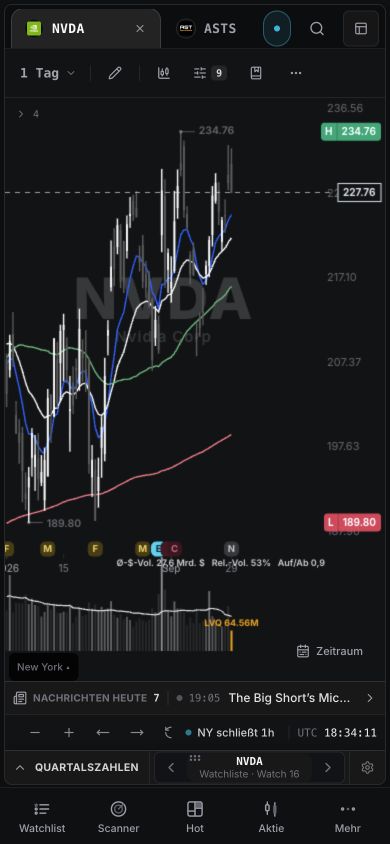
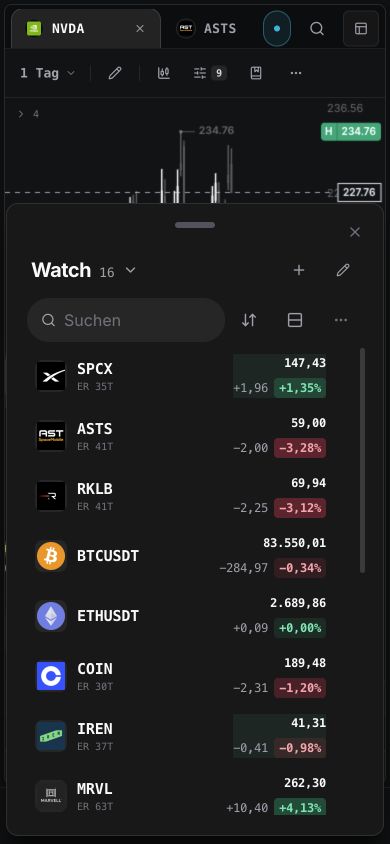
wickeddesk Atlas on mobile
~6,000US stocks in scanner
12+Scanner methods
20+Setup types
Atlas

Charts, events, and group context in one place.

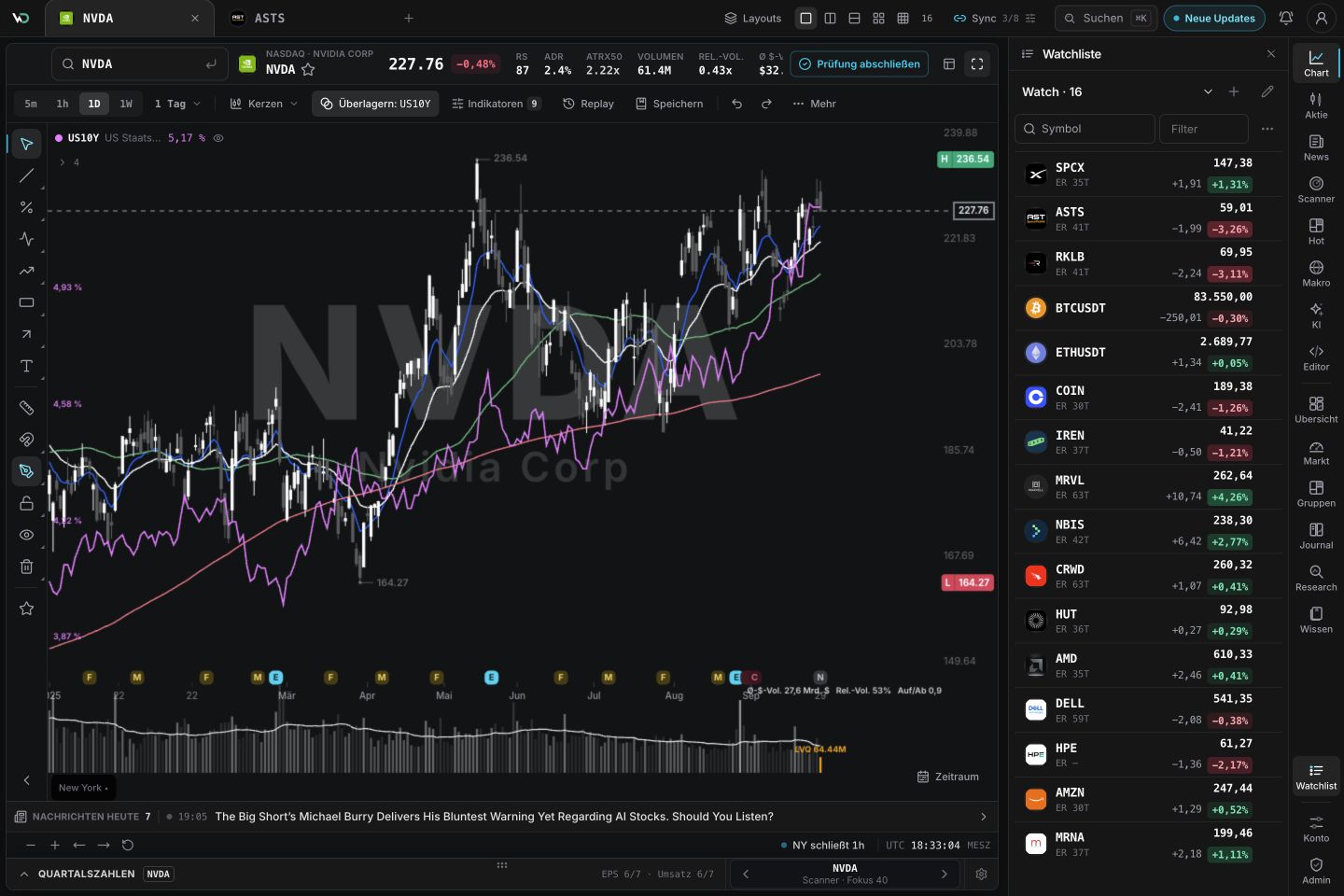
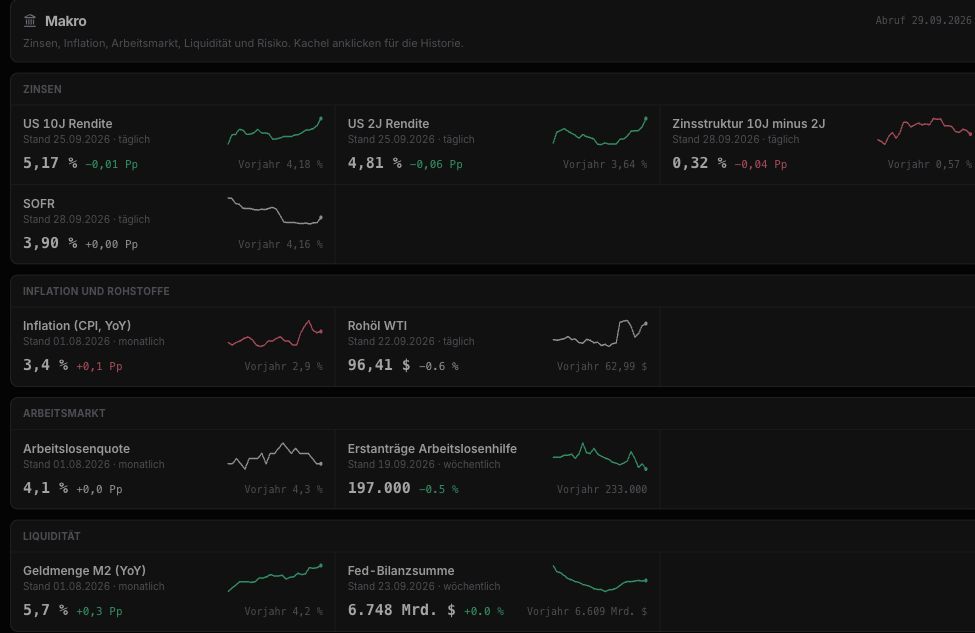
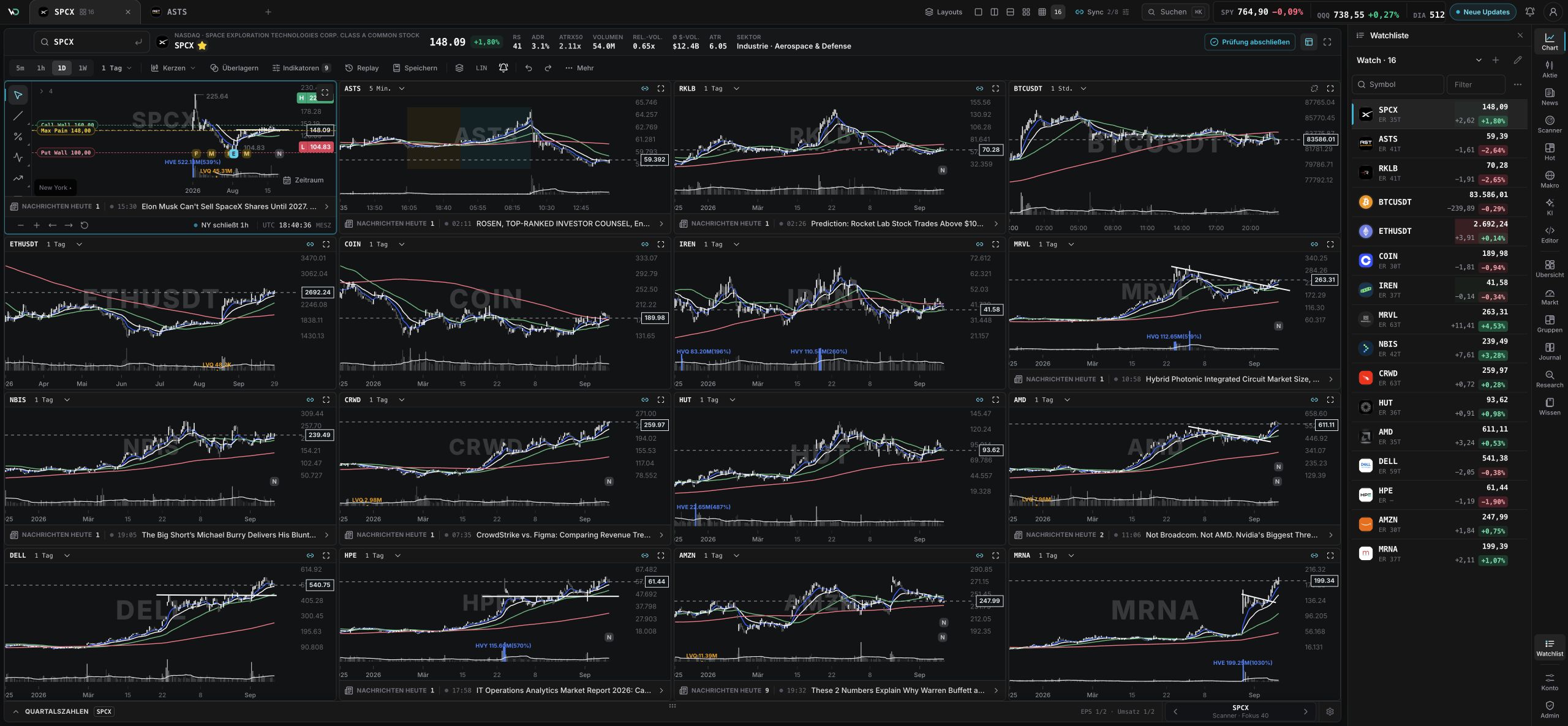
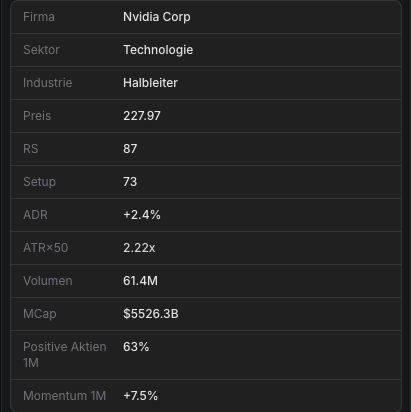
The workspace connects single-name analysis with chart engine, earnings, news, catalysts, related stocks, scanner setups, and group context.

Chart engine with price, volume, moving averages, earnings markers, and drawings.

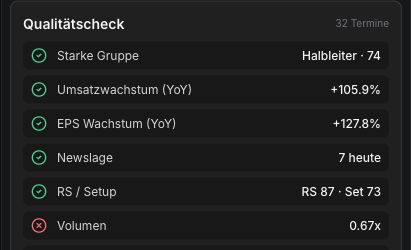
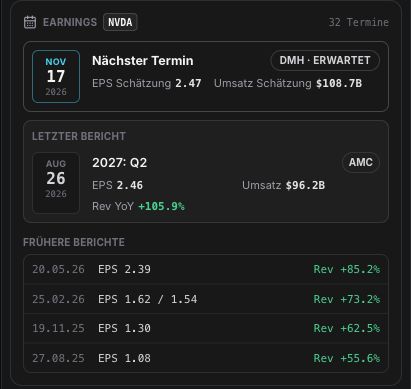
Sidecar for company data, events, news, catalysts, related stocks, scanner setups, and Strategy AI.

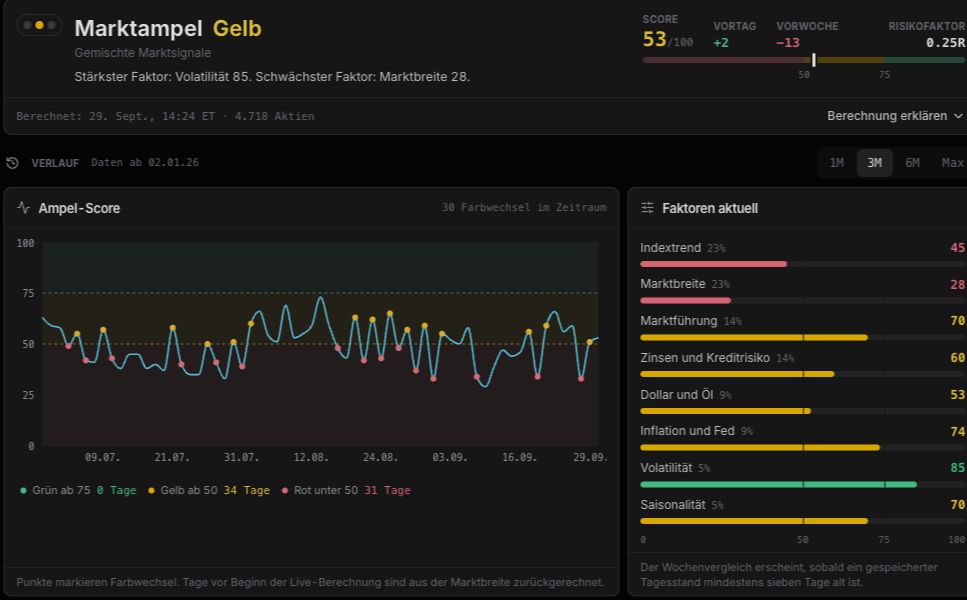
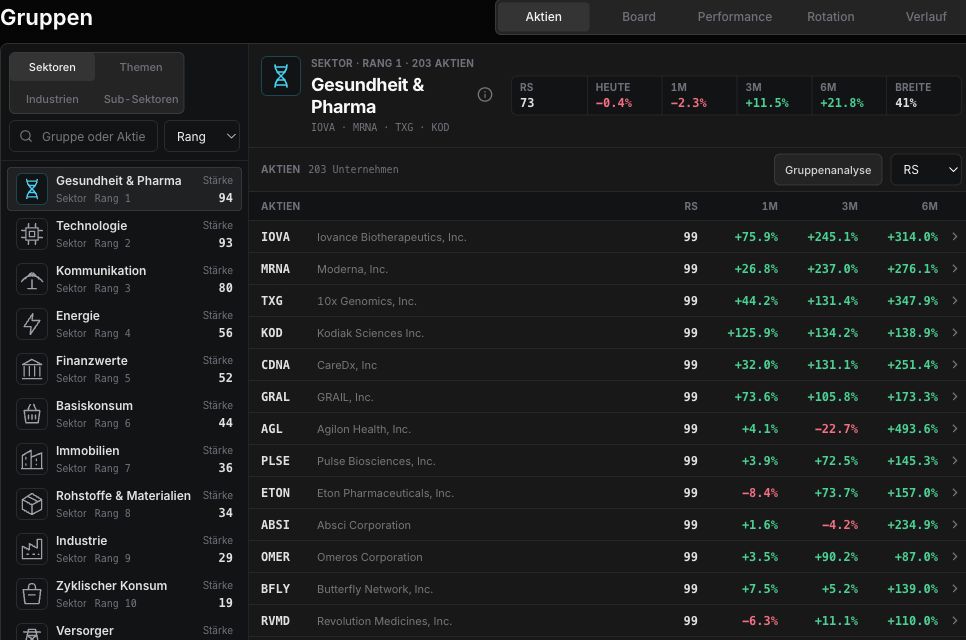
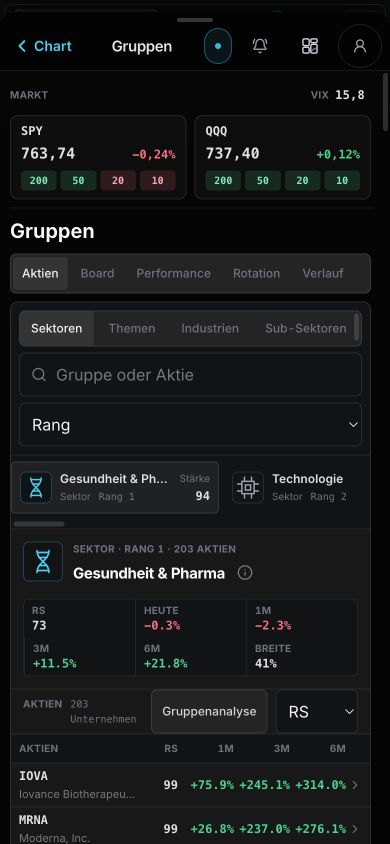
Sector and industry views with breadth, rotation, relative strength, setup quality, and leaders.

Single stock, events, and group context without switching tools.

wickeddesk Atlas on mobile

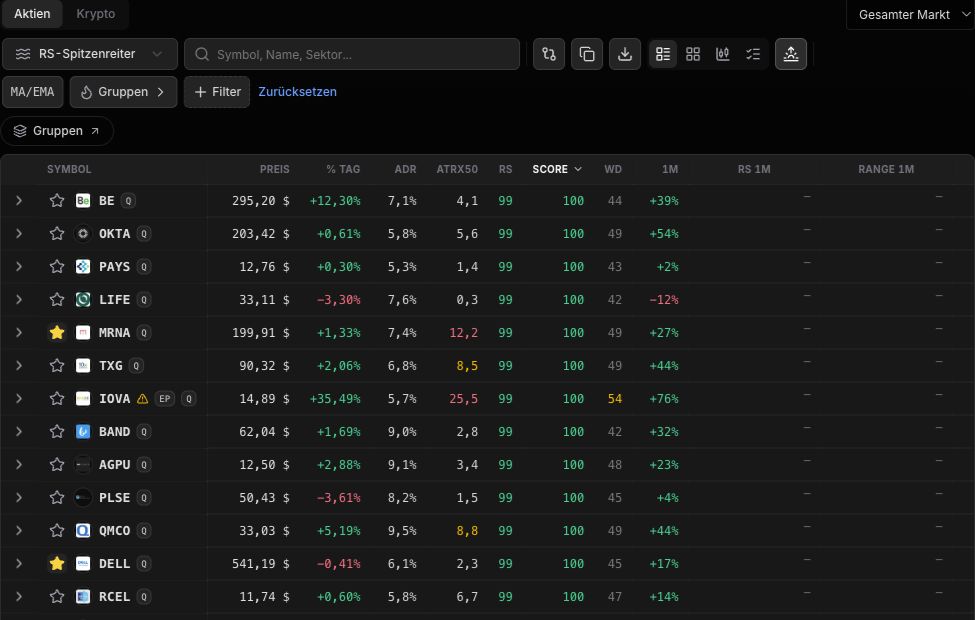
Setup Scanner

Leaders, EPs, breakouts, and pullbacks, prioritized by setup quality, RS, volume, ADR/ATR, and group context. Minervini, Pradeep, and Qullamaggie built into the rules.

Group Rotation

Sectors, industries, and themes with best/worst rotation, RS leaders, and market breadth at a glance.

Atlas Analysis

Chart, earnings, news, catalysts, related stocks, and group context in one workspace.

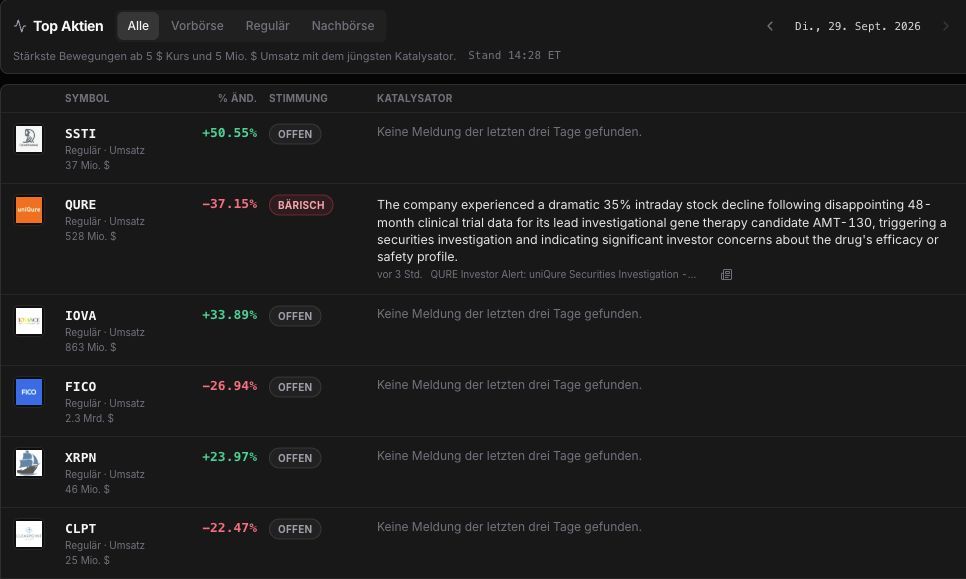
Earnings/EP Watchlist

Fresh re-ratings, gaps, and volume surges hit the list before the session. Earnings calendar included.

Trade Journal with Chart Review

Entries and exits plotted on candles, plus analysis by setup, drawdown, hold time, and R-multiple.

AI Research

AI deep analysis, Narrative Map, and Model Book condense research into decision-ready context.

Scanner

One scanner that turns market movement into worklists.

wickeddesk ranks stocks where movement, relative strength, volume, group context, and chart structure line up. Minervini, Pradeep, and Qullamaggie ideas inform the rules, but you get prioritized candidates instead of raw screeners.

Spot leaders faster

Surfaces strong stocks near new highs where relative strength, volume, and a clean base align; Minervini logic acts as a quality filter.

Catch fresh momentum

Highlights sudden re-ratings, gaps, and volume surges so EPs and momentum bursts reach the watchlist before the next session.

Judge breakouts in context

Checks Qullamaggie-style breakouts and pullbacks against liquidity, ADR/ATR, market phase, and group strength so hits are easier to trade.

Turn hits into a plan

Condenses candidates into prioritized lists with chart context, news, earnings, and related stocks so scan hits become actionable prep.

Who it fits

Four workflows, one workspace.

wickeddesk scales from pre-market prep to swing watchlists and long-term thematic portfolios.

Day trader

Plan pre-market in five minutes.

  • Scanner surfaces EPs, gaps, and volume movers before the open.
  • Atlas shows chart, news, and earnings on one page.
  • Trade journal with setup tags for the daily review.
Swing trader

Setups from breadth and group strength.

  • Scans based on Minervini, Pradeep, and Qullamaggie logic in one workflow.
  • Heat map shows direct best/worst rotation with hits and RS leaders.
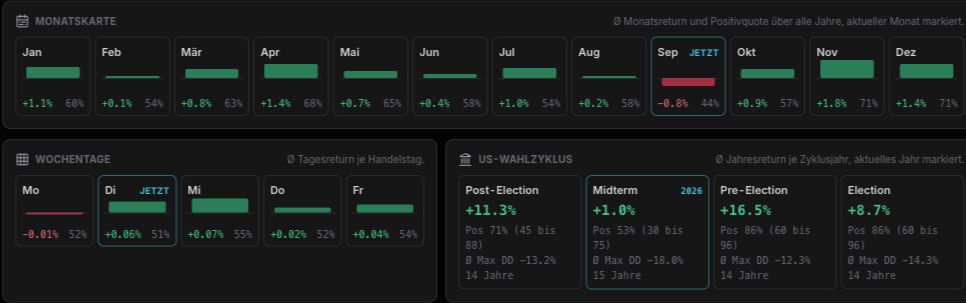
  • Seasonality plus earnings calendar for timing.
Position trader

Structure theses with Theme Builder.

  • Narrative Map links themes with stock chains.
  • Model Book keeps winning setups as references.
  • Reports analyze drawdown, hold time, and R-multiple.
Investor

Market cockpit for longer-term allocation.

  • Sector and industry rotation with winner/loser groups in the market map.
  • Breadth, regime, and correction indicators at a glance.
  • Trade journal with tax reporting support (FIFO, FX).
Features

One workspace for the whole trade.

Market map, scanner, and matrix find the candidates. Atlas adds the context. The journal turns every trade into a lesson.

Market map with direct best/worst rotation.
Market map

Market map with direct best/worst rotation.

Sectors, industries, top groups, leaders, and market breadth in a heat view.

Shows the strongest and weakest rotation side by side, auto-sorted by Today, 1D, or 1M.

Ticker hits and the group dialog take you straight from rotation to detail review.

A scanner that turns thousands of stocks into a tradable order.
Scanner

A scanner that turns thousands of stocks into a tradable order.

Ranks leaders, EPs, breakouts, pullbacks, and momentum by setup quality, relative strength, volume, ADR/ATR, 52-week proximity, and group context instead of one blunt filter.

Minervini, Pradeep, and Qullamaggie ideas are built into the rule set; the interface gives you prioritized hits instead of method names.

Every hit connects directly to Atlas, news, earnings, options, related stocks, and watchlists for the next session.

Matrix for 52-week highs, ATHs, and true leader proximity.
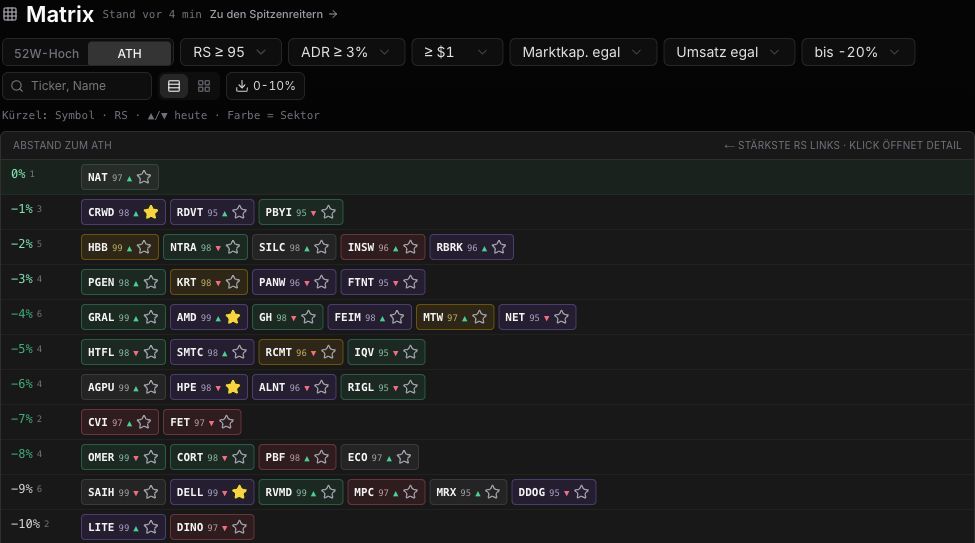
Matrix

Matrix for 52-week highs, ATHs, and true leader proximity.

Shows stocks as proximity ladders to 52-week highs or all-time highs, filtered by RS, ADR, price, market cap, and dollar volume.

Makes it obvious which names are glued to highs and which leaders are building tradable pullbacks.

Exports hits as TradingView lists and opens single names directly in the detail workflow.

Journal with Atlas charts for every trade.
Journal

Journal with Atlas charts for every trade.

Imports trades and analyzes period, setup, symbol, time of day, weekday, long/short, drawdown, and distribution.

Plots entries and exits directly on candles, with timeframes from minutes to weeks.

Connects reviews, notes, screenshots, compact reports, and model-book examples.

Theme Builder for major market theses. Diagram
Diagram
Theme Builder for major market theses. Node details
Node details
Theme Builder for major market theses. Supply chains
Supply chains
Theme Builder

Theme Builder for major market theses.

Structures themes into narratives, layers, companies, regimes, risks, and watch buckets.

Turns large theses into concrete equity chains and research dashboards.

Keeps research results ready for later reviews.

Compare

What makes wickeddesk different.

Most tools cover only part of the workflow. wickeddesk connects the whole chain: find the setup, check context, read the chart, plan the trade, review the journal, get better.

FeaturewickeddeskTraderVueEdgewonkTradingView
Trade journal & reports
Setup scanner for leaders, EPs, and breakoutspartial
Heat map & best/worst group rotationpartial
Narrative Map & Theme Builder
Atlas chart + sidecar (news, events, catalysts)partial
Model Book / setup librarypartialpartial
IBKR import

Comparison based on publicly available feature lists of the named providers at the current date.

Pricing

One plan. Everything included.

Journal, scanner, Atlas, market map, research, and Theme Builder in one clear workspace.

Pro

Everything included

Monthly
39,95 €/ month
Cancel anytime · no minimum term

The complete wickeddesk workspace for journal, scanner, Atlas, market map, and research.

  • Trading journal, reports, Atlas trade charts, and Model Book
  • Market overview with indexes, breadth, and top groups
  • Setup scanner for leaders, EPs, breakouts, and pullbacks
  • Atlas workspace for single names, news, earnings, and group context
  • Market map, seasonality, breadth, and direct group rotation
  • Theme Builder inspired by Leopold Aschenbrenner
  • Narrative Map, builder galleries, exports, and AI-assisted research flows
Unlock Pro
FAQ

Frequently asked questions.

Answers to the questions we hear most often, from data sources to broker imports.

Which stocks does the scanner cover?+

wickeddesk focuses on US stocks (NASDAQ, NYSE, AMEX). Currently around 6,000 symbols including penny stocks, with fundamentals and setup classification.

How often is the data updated?+

During US market hours, wickeddesk refreshes available snapshots about every 60 seconds. Scanner setups, heat map, and breadth are then recalculated every 1-5 minutes depending on load and cache state.

Can I import my trades?+

Yes. Interactive Brokers reports (CSV) are detected and parsed directly. Other brokers work through the generic CSV import with column mapping.

Where is my data stored?+

Trades, notes, and model-book entries stay in your isolated workspace. No resale or sharing with third parties.

Is there a minimum contract term?+

No. The plan is monthly and includes the full wickeddesk workspace.

Do I need a US broker?+

No. The tool is broker-independent. It is an analysis and journal tool, not an order-entry system.

How fast is the market data?+

wickeddesk is not a realtime terminal for order execution. Quotes can be delayed depending on exchange and data feed; once new snapshots are available, they usually appear in the app within the next 60-second refresh.

Does it work on a smartphone?+

Yes. Atlas, scanner, and journal are responsive. A native app is not planned. The web app runs directly in Safari/Chrome on iOS and Android.

What is the difference between Atlas and the scanner?+

The scanner produces hits: lists filtered by setup, volume, and RS. Atlas is the detail workspace for one stock: chart, news, earnings, related stocks, and group context.

Can I test wickeddesk for free?+

A trial phase is planned. Today you start with the complete plan and use monthly cancellation as the safety net.

Ready for the complete trading workflow?

Scanner, Atlas, journal, reports, and Model Book in one workspace. From first scan to the review. Cancel anytime.

Start app
Cookies and privacy